
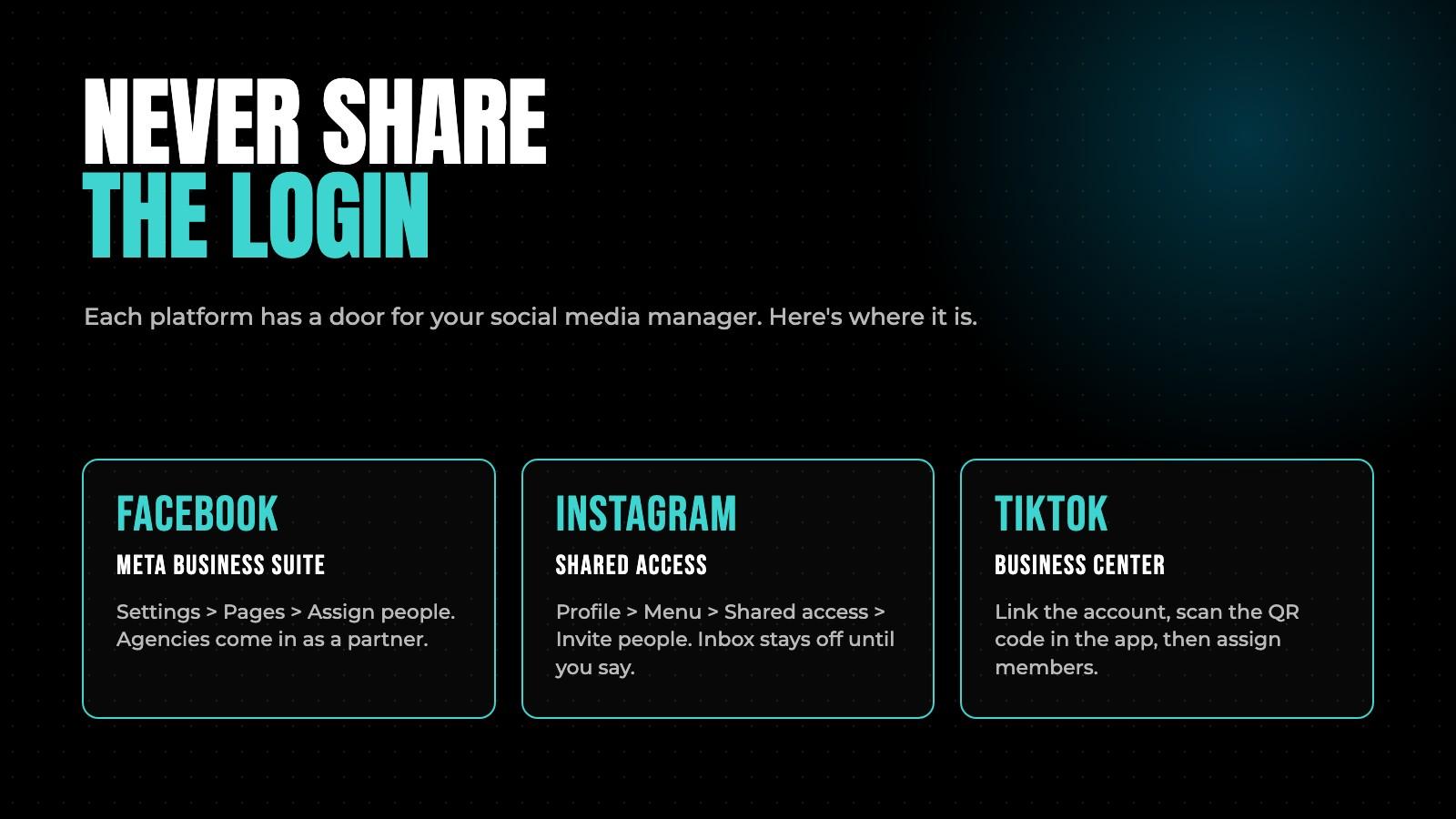
When a brand hires us, the first email we get is almost always the same. "What's your login?"
Wrong question. We don't want your password, and you shouldn't give it to anyone. Every platform has a way to let someone post for you with their own login, see everything they did, and cut them off in one tap. Here's exactly where each one is, as of November 2026, with Meta's and TikTok's own steps linked so you can check when the menus move.
Why you should never share the login
- Two-factor codes go to your phone, so every post becomes a text to you anyway.
- You can't take back a password. You can only change it, and then everyone else with it is locked out too.
- There's no record of who did what. With proper access, Instagram and Business Suite show you the activity by person.
- The platforms treat a shared login from a new device as a takeover attempt. Accounts get locked. Recovery takes days.
- And when the person leaves, your password leaves with them.
Facebook Page: Meta Business Suite
Facebook Pages are managed through a business portfolio in Meta Business Suite. There are two ways to add someone, and which one you use depends on who they are.
A freelancer or an employee: add a person
Meta's own steps for a Page in your portfolio:
- Go to business.facebook.com on a desktop and open Settings.
- Under Profiles, click Pages and select your Page.
- Click Assign people.
- Pick the person. If they're not in your portfolio yet, add them first under People, by their work email, and they'll get an invite.
- Choose the access type. Partial access (business tools only) lets them work through Business Suite with the tasks you pick: content, messages, community activity, ads, insights. Partial access (business tools and Facebook) also lets them switch into the Page on Facebook. Full access manages everything, including other people's access.
- Click Assign.
For someone who posts and replies to comments, partial access with content and community activity is enough. Give ads access only if they run ads. Give full access to nobody outside the company.
An agency: add a partner
An agency has its own business portfolio, and the clean way to work with one is to share your assets with it rather than adding each of its employees to yours.
- Ask the agency for its business portfolio ID. They find it under Settings, then Business portfolio info, per Meta.
- In your Business Suite Settings, go to Partners and choose to give a partner access to your assets.
- Enter the ID, pick the assets (Page, Instagram account, ad account, pixel), and set the permission level for each.
The agency then assigns its own people on its side. When the engagement ends, you remove the partner once and every one of their staff loses access at the same time. Meta's overview of adding partners covers the details.
Instagram: shared access, or the portfolio
Instagram has two routes, and they fit different jobs.
Shared access, in the app
Instagram's shared access feature lets you invite someone to your account without a password. In Meta's words, people you invite "can post, like and comment (and, from a professional account, run ads and view insights) all without sharing your password." They can't change your password or remove you.
- Open your profile, tap the menu in the top right, then Shared access.
- Tap Invite people, search for the person's Instagram account, select them, and send the invite.
- They have seven days to accept.
- Inbox and story access are off by default. Under Manage, toggle Inbox access or Story access per person if they need it.
You can view everything they did under Account activity, and remove them from the same screen. Invites only work in the app, not on instagram.com. It's not available on teen accounts, and the number of people you can invite depends on your account and plan, so check what the screen offers you.
The business portfolio route
If your Instagram is a professional account connected to your Facebook Page, add it to your business portfolio and assign people or partners exactly as you did for the Page. This is the route for an agency that runs ads, because ads need the Page, the Instagram account, and the ad account in the same place.
TikTok: Business Center
TikTok doesn't do this in the app the way Instagram does. Access runs through TikTok Business Center, and it works like this: a Business Center asks for access to your account, you approve it by scanning a QR code in the TikTok app, and then the Business Center admin assigns people to the account.
If you're the brand, you can create your own Business Center and link your account to it, then add your manager as a member. If you've hired an agency, they'll usually start the link from theirs.
Link the account
TikTok's own steps, done by a Business Center admin:
- In Business Center, click Accounts, then TikTok accounts, then Add a TikTok account.
- Choose Link an existing TikTok account and Send a QR code, then Next.
- Select Manage account as the permission level. Under Publish and manage new videos, pick Show on TikTok profile and in ads if the manager will post to your profile. Show through ads only means they can only push videos as ads. Turn on TikTok account sharing if an agency will need to share it onward to a partner Business Center.
- Copy the QR code and send it to whoever is logged into the TikTok account.
- In the TikTok app, go to Profile, tap the three lines, tap Your QR code, tap the scan icon, scan, and approve. A personal account will be prompted to switch to a business account first.
Assign the person
Once the account shows Manage account in the Permissions column, the admin assigns members: Accounts, TikTok accounts, View next to the account, the Members tab, Assign a new member, set the permission, Confirm.
Take it back
In the TikTok app: Settings and privacy, Security and permissions, Apps and services permissions, TikTok Business Center, pick the Business Center, Remove Access. That's the kill switch, and it's yours even when the Business Center isn't.
What to grant, by job
| Who | TikTok | ||
|---|---|---|---|
| Posts and replies to comments | Partial access: content and community activity | Shared access, inbox off | Business Center member with Manage account, profile publishing on |
| Also answers DMs | Add the messages task | Turn on Inbox access | Set on the Members tab when you assign them |
| Runs ads | Add the ads task, plus ad account access in the portfolio | The portfolio route, with ad account access | Ad account access in Business Center |
| An agency | Partner access to the assets they need | Partner access through the portfolio | The account shared to their Business Center |
When they leave
- Remove the person or partner on each platform the same day.
- Change your own password anyway, and check that two-factor is on.
- Look at the connected apps on each account (scheduling tools, link-in-bio tools) and disconnect anything the manager set up with their login.
- Keep ownership of the business portfolio and the Business Center in a company email, not an employee's.
If you're the one asking for access
Ask for access, not logins. Send the client this post. A client who's never done this before will hand you a password to save time, and six months later you're both locked out because a login from a new city tripped Meta's checks. We run social for brands, and this is the first thing we set up, before a single post goes out.